 Docket Social
Plan and post a month of short videos before lunch.
Docket Social turns your website into a month of short videos. Swipe through clips picked for your business, change the text in seconds, and schedule posts to TikTok, LinkedIn, and YouTube from one calendar.
7-day free trial · No credit card required · Cancel anytime
Or try it on your website first ↓Examples for three made-up businesses. Each clip's text is written in that brand's voice, and yours will be written for you.
See what it writes for your business
Type your website. In a few seconds you get three captions written from what your site actually says.
Free, no account needed. We read your public website and write three sample captions.
Made for businesses like yours
Three example businesses, each with its own look and voice. They're made up, and yours will be written for you.
Turn your specials into a week of posts.
Your menu, your regulars, your morning rush. Docket reads your website, writes on-screen text that sounds like your café, and lines the posts up on one calendar, so the daily post stops being a daily chore.
- first pour of the day
- oat flat whites, no rush at Harbour Bean
Example captions written in this business's voice.
How it works
From a website to a full month of posts in three steps.
Drop your website
We read your site and write a short brief on your business: what you offer, how you sound, and who you compete with.
Swipe what you like
Swipe right to save a clip, left to skip it. Change the on-screen text before it's yours.
Post from one place
Connect TikTok, LinkedIn, and YouTube once (Instagram coming soon), then schedule a month of posts in minutes.
The real app
Screenshots of Docket Social as it is today. The clips and captions inside are example content.
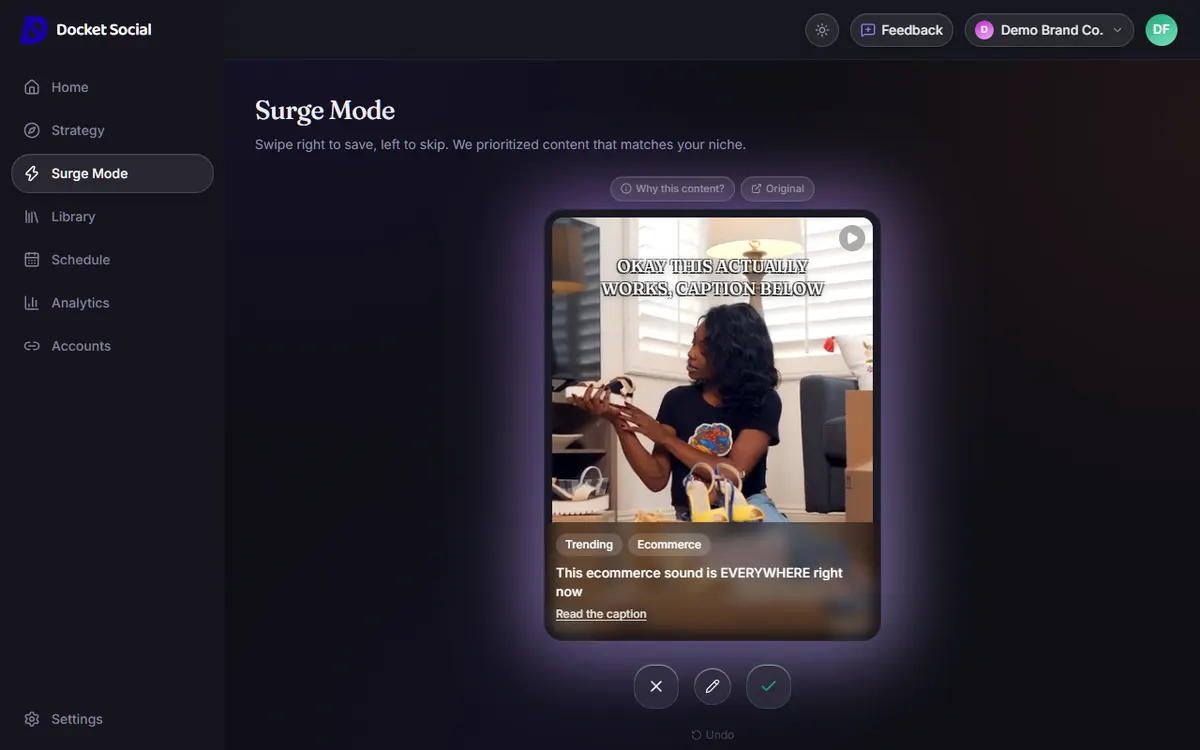
Surge Mode is a deck of ready-made clips. Swipe right to save, left to skip.
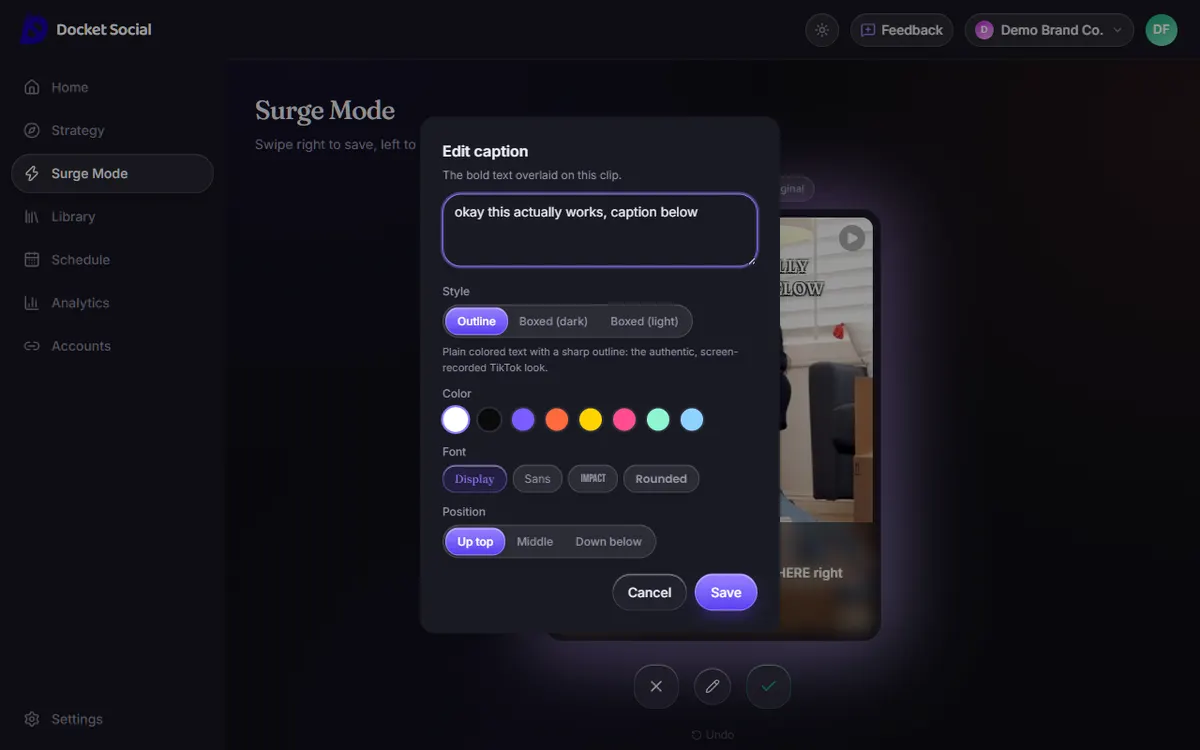
Edit the on-screen caption, its style, color, font and position before anything is saved.
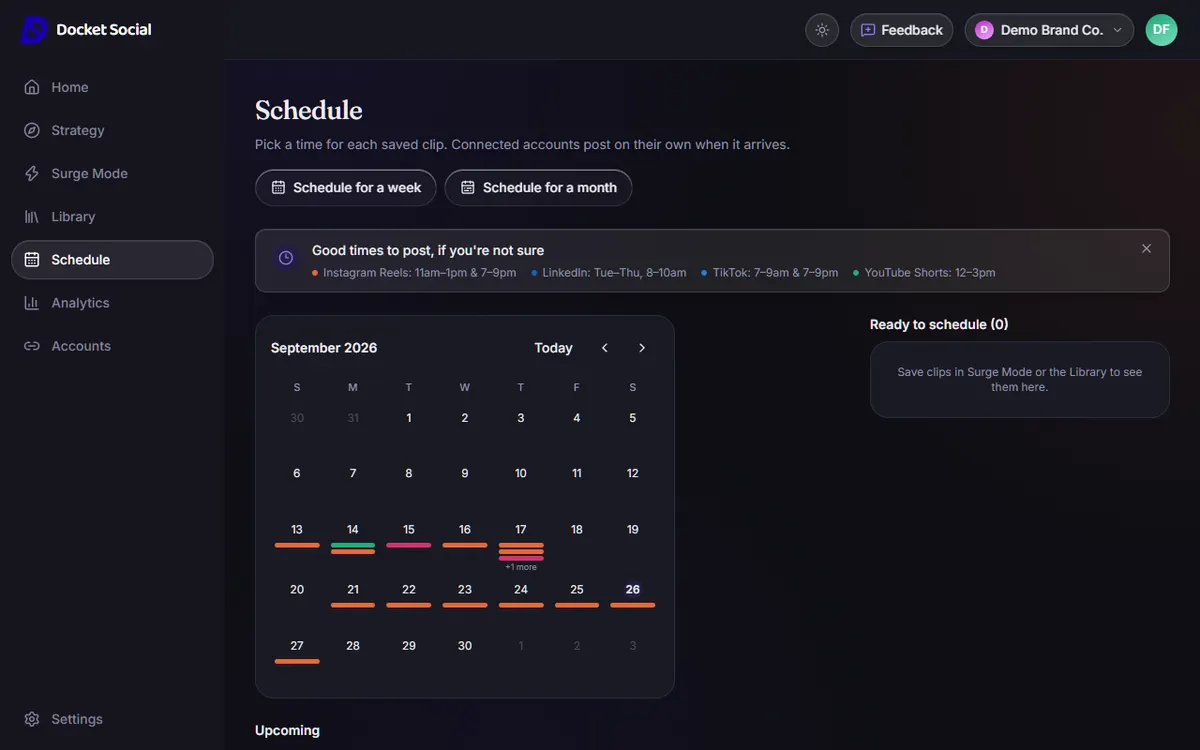
See what's going out and when, then schedule a week or a month at once.
Everything you need to post daily
Surge Mode
A swipeable deck of trending clips and creator content, sorted for your niche from the first day.
Connect your accounts
Sign in with TikTok, LinkedIn, or YouTube and post straight from Docket Social. No exports, no copy and paste. Instagram is coming soon.
One calendar
Line up posts for every connected platform in a single view, or post right away when you don't want to wait.
Numbers from the platforms
Views, likes, comments, and shares for each post, pulled from the platform itself wherever it allows.
How it compares
Great tools, built for different jobs. Docket is for going from a website to a month of posts in one sitting.
| Feature | Docket Social | CapCut / Canva | Buffer / Hootsuite |
|---|---|---|---|
| Writes captions from your website | Yes | No, you start from a blank timeline or template | No, you supply the idea |
| Ready-made clips to swipe through | Yes | Stock libraries, but you build each video | No, you bring your own media |
| Website to a month of posts in one sitting | Yes | No | No |
| Schedules to TikTok, LinkedIn and YouTube | Yes (Instagram coming soon) | Some platforms | Yes |
| Full video editing control | Text and style only | Yes, this is what they're for | No |
| Team workflows and deep analytics | Not yet | Limited | Yes, this is what they're for |
| Price | Free plan, paid from $19/mo — similar AI content tools start at $29+ | Free tiers, paid plans vary | Free tiers, paid plans vary |
- Docket Social
- Yes
- CapCut / Canva
- No, you start from a blank timeline or template
- Buffer / Hootsuite
- No, you supply the idea
- Docket Social
- Yes
- CapCut / Canva
- Stock libraries, but you build each video
- Buffer / Hootsuite
- No, you bring your own media
- Docket Social
- Yes
- CapCut / Canva
- No
- Buffer / Hootsuite
- No
- Docket Social
- Yes (Instagram coming soon)
- CapCut / Canva
- Some platforms
- Buffer / Hootsuite
- Yes
- Docket Social
- Text and style only
- CapCut / Canva
- Yes, this is what they're for
- Buffer / Hootsuite
- No
- Docket Social
- Not yet
- CapCut / Canva
- Limited
- Buffer / Hootsuite
- Yes, this is what they're for
- Docket Social
- Free plan, paid from $19/mo — similar AI content tools start at $29+
- CapCut / Canva
- Free tiers, paid plans vary
- Buffer / Hootsuite
- Free tiers, paid plans vary
Based on each tool's public features as we understand them. Docket is newer and smaller, and still in beta.
Plans
7-day free trial · No credit card · Cancel anytime · Posts you've already scheduled still go out.
Free
Try it before you commit
$0/mo
- Access content formats
- Limited total content
- Limited scheduling
- Plan a week of posts at once
No credit card · Cancel anytime
Starter
Great for solo founders posting weekly
$19/mo
- 20 pieces of content/month
- 250 AI credits/month
- Surge: 25 swipes/day
- Plan a week of posts at once
No credit card · Cancel anytime
Built by Grish
Built by Grish, a computer science student in Halifax, Nova Scotia. Docket Social is in beta and I'm currently onboarding local Halifax businesses. If something doesn't work or you want a feature, email me at grish@docketsocial.com and I'll answer myself.
Grish on LinkedIn →Frequently asked questions
How does Docket Social create my content?
It reads your website to learn what your business does and how you talk, then writes on-screen text and captions for your niche and pairs them with stock clips and photos. You can change any of it before it goes out.
Do I need to film anything myself?
No. Swipe through ready-made clips, save the ones you like, and edit the on-screen text. Scheduling takes a few clicks.
Which platforms can I post to?
TikTok, LinkedIn, and YouTube Shorts, with you choosing who can see each TikTok post. Instagram Reels is coming soon. Message us if you want it early and we'll let you know the moment it's ready.
Is it free to try?
Yes. Every account gets a 7-day free trial with no credit card required, and you can cancel anytime.
What happens when my trial ends?
Nothing is charged, because we never ask for a card. Your account moves to the Free plan: you keep your workspace, saved clips and connected accounts, with lower limits, and the 30-day planner needs a paid plan. If you want more, you pick a plan in Settings. If you don't, you don't have to do anything.
Who built Docket Social?
Grish, a computer science student in Halifax, Nova Scotia. It's a one-person project, so when you email us you're writing to the person who built it.
How is this different from CapCut or Canva?
CapCut and Canva help you edit one video at a time. Docket Social finds the clips, writes the text, and schedules a month of posts from one workspace, so you're not starting from a blank timeline every day.
Can I use a trending TikTok or Instagram song on my post?
Every video gets a licensed background track automatically, chosen to fit the clip, no picker needed. We never bake an actual trending or copyrighted song into the export though, since that's the kind of thing that gets a post muted or taken down. If you want a specific trending sound, add it from inside the TikTok or Instagram app after it's posted; that's the only way to legally attach one anyway.